Pricing intelligence tool, designed and built end-to-end
Year2025
RoleDesigner & Full-Stack Builder
Location36.8485° S, 174.7633° E
DisciplinesInternal Tools, Product Design, Full-Stack Development, Web Scraping
An internal pricing intelligence tool built for GIMME to track competitor alcohol prices across Auckland retailers, match them against the Shopify catalog, and surface price changes for review. End-to-end build: database, scrapers, API, dashboard UI, designed in GIMME's brand language.
01
Overview
GIMME Price Monitor is an internal web application I designed and built to help the GIMME operations team keep pace with competitor pricing. It scrapes live product prices from two of Auckland's largest alcohol retailers, Thirsty Liquor and Bottle O, matches them against GIMME's 2,200+ Shopify SKUs, detects price changes between runs, and outputs bulk-update CSVs for Shopify.
What started as a weekend experiment became the team's daily pricing workflow.
02
Try the Live Demo
A read-only snapshot of the dashboard is deployed here with sample data: click around any page, view metrics, browse price changes. Write actions are disabled.
Click to open the live demo →
03
Why I Built This
After redesigning the GIMME app and web experience, I kept seeing the same operational pattern: someone on the team would manually spot-check competitor prices on a handful of products every few days. With 6,000+ SKUs in the catalog and price shifts happening weekly, this was unsustainable.
The cost of not knowing was real:
• Priced too high → losing customers to competitors
• Priced too low → leaving margin on the table
• Random spot checks → blind spots across entire categories
What the team needed wasn't more staff hours. It was a system.
04
My Role
Solo build. I went end-to-end on this one, from database schema through scraper, API, and UI. As a designer who codes, this was a chance to close the loop: I saw the operational friction, owned the problem, and shipped the tool.
Responsibilities:
• System architecture and data modelling
• Scraper engineering for two different retailer stacks
• Fuzzy product matching algorithm
• FastAPI backend with 19 endpoints
• Dashboard UI design and implementation
• Brand-aligned redesign using GIMME's visual language
05
How It Works
The system runs as a pipeline with four distinct stages, each observable and individually re-runnable from the dashboard:
1. IMPORT: Pull ~2,200 products from the GIMME Shopify store via the Admin API.
2. SCRAPE: Hit Thirsty Liquor's JSON endpoints (~1,250 products) and Bottle O Remuera's site via a headless browser (~1,250 products).
3. MATCH: Fuzzy-match competitor products to GIMME SKUs using a normalized-name + token-set ratio algorithm.
4. DETECT: Compare the current scrape against the previous run, flag every price delta, and group changes by retailer.
The operator sees the whole pipeline on one screen. No black box.
06
Tech Stack
Backend: Python 3.9, FastAPI, Uvicorn
Database: PostgreSQL 16 (8 tables: products, retailers, scrape runs, price history, matches, changes, sync log, users)
Scraping: aiohttp for Thirsty Liquor's JSON API, Playwright headless Chromium for Bottle O (dynamic client-rendered site)
Frontend: Vanilla HTML, CSS, JavaScript, no framework. Lightweight, fast, and easy to maintain solo.
The non-glamorous choice of vanilla JS was deliberate: this is an internal tool, not a consumer product. I didn't want to inherit a framework's upgrade cycles for a dashboard five people will ever use.
07
The Hard Parts
Three problems took the most thinking:
1. Bottle O's scraper: their site is client-rendered and doesn't expose a JSON endpoint. I had to spin up Playwright with Chromium, wait for product cards to paint, then extract. Rate limiting and resilient retries were essential.
2. Fuzzy matching: "Heineken Lager 12 Pack 330ml" on one site vs "Heineken 12pk 330ml" on another. I built a normalizer (strip units, lowercase, remove packaging words) + token-set ratio scoring with a 75% confidence threshold. Match quality beat exact-string by a wide margin.
3. Shopify import throttling: Shopify's Admin API rate-limits aggressively. Chunked the import in batches of 50 with backoff to avoid getting blocked mid-pull.
08
Designed in GIMME's Language
Version one was functional but generic: it could have been anyone's internal tool. A dashboard that sits inside someone's workflow every day should feel like part of the brand.
The redesign kept the layout untouched. I wasn't fixing usability, I was fixing identity:
• Primary colour shifted to GIMME electric purple (#5B3EE8)
• Yellow accent (#FFD84C) for key CTAs, directly from GIMME's store banners
• Italic Archivo wordmark replacing the neutral sans-serif
• Softer radii on buttons, cards, and badges
• Purple-tinted background wash and subtle gradients
• Yellow glow on live-data indicators
09
The Dashboard
Six pages, each mapped to an operator's actual job:
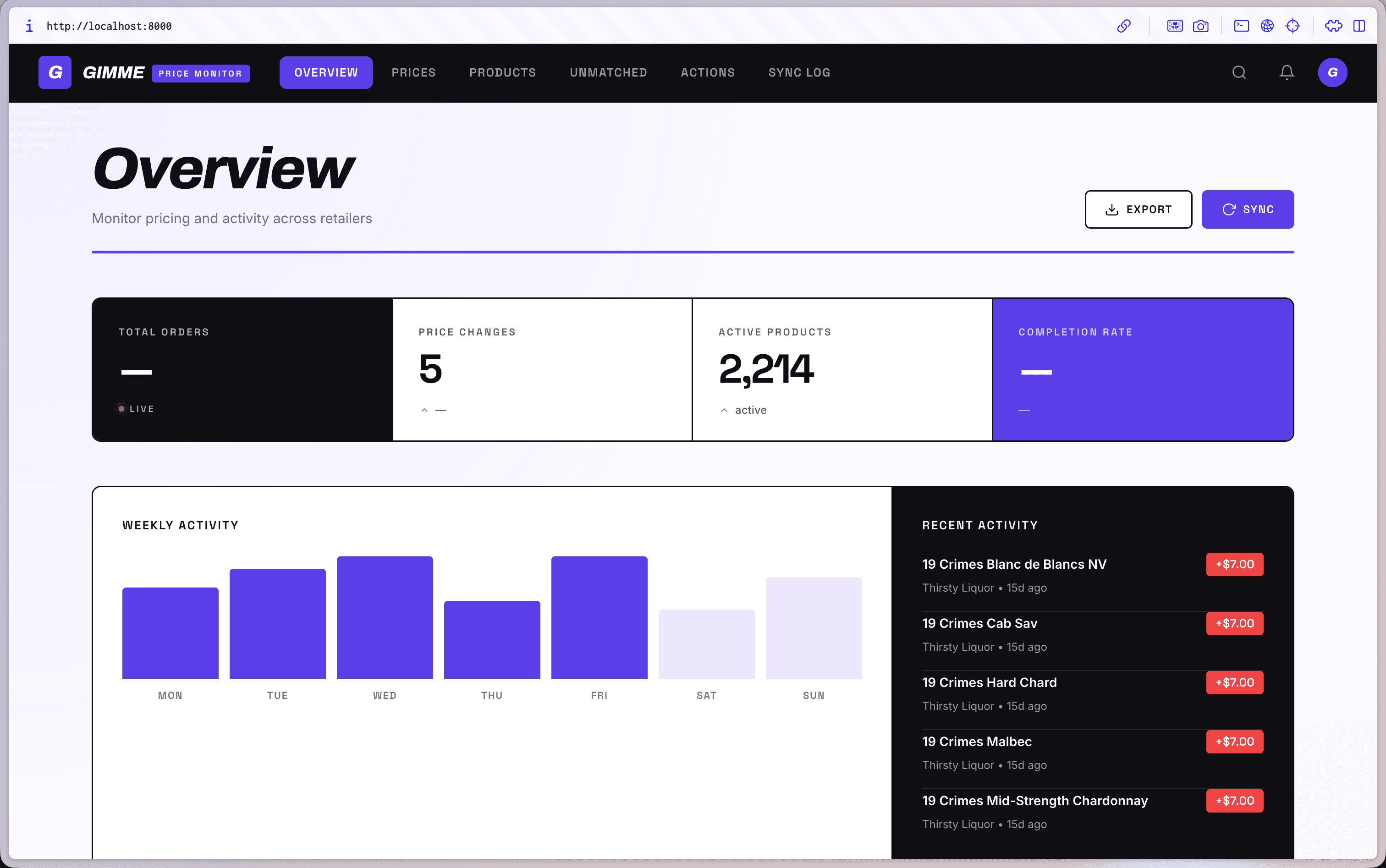
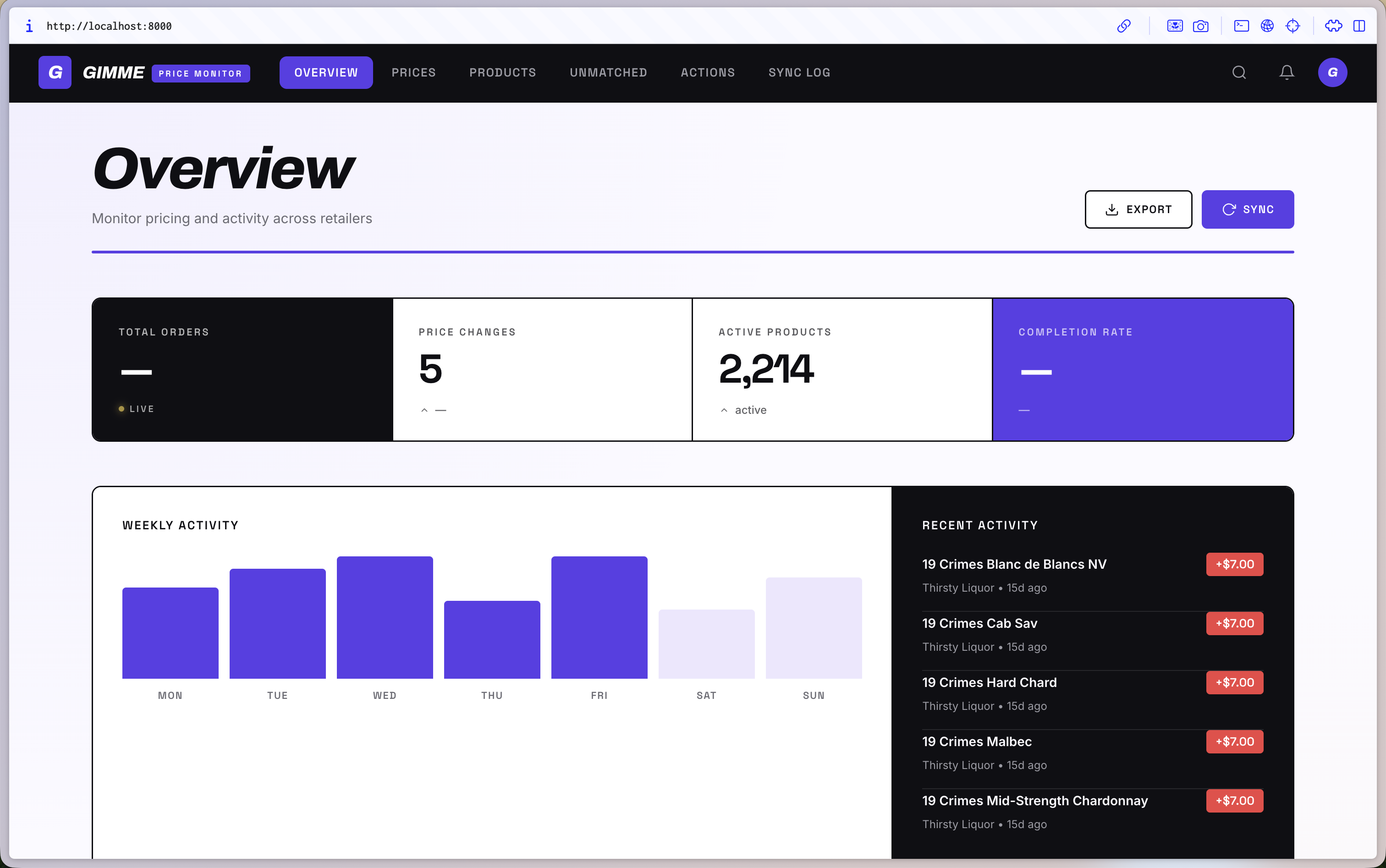
• Overview: at-a-glance metrics, weekly activity, and a live feed of the most recent price changes.
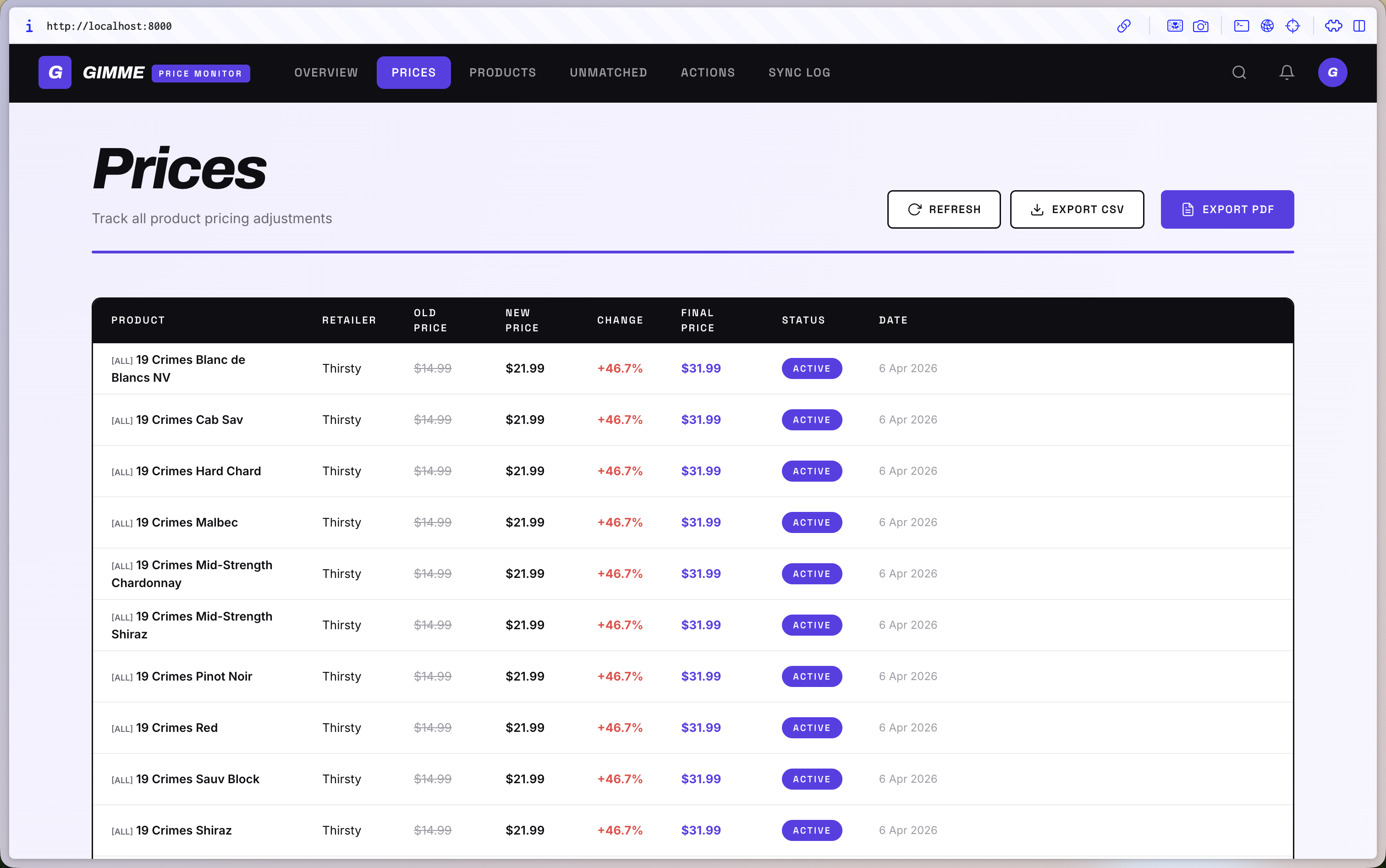
• Price Changes: the core screen. Every detected change, retailer, old vs new price, delta, and status. CSV export for bulk Shopify updates.
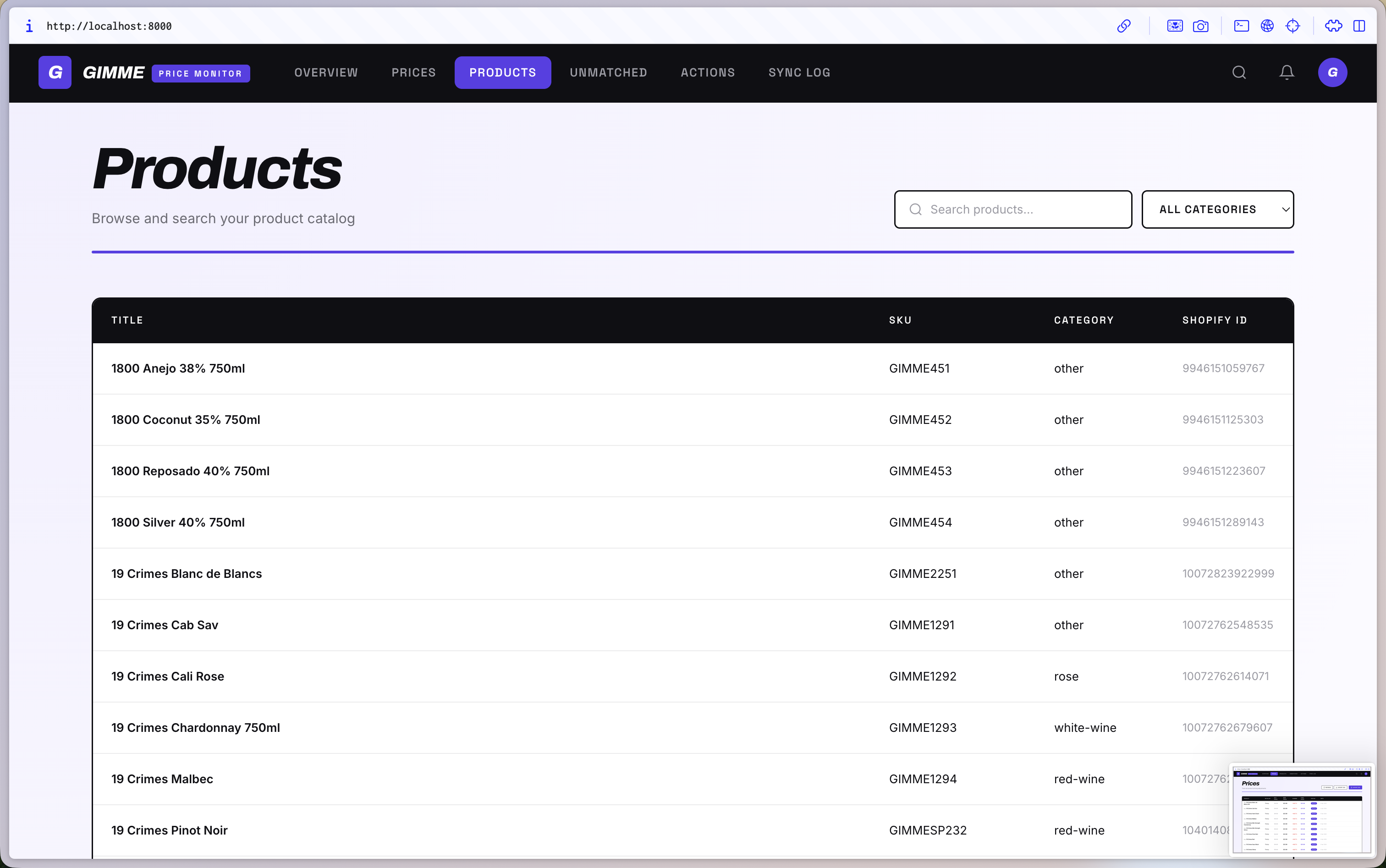
• Products: the Shopify catalog, searchable and filterable by category, so the operator can drill into any SKU.
• Unmatched: products that couldn't be matched to a competitor, so matching rules can be tuned.
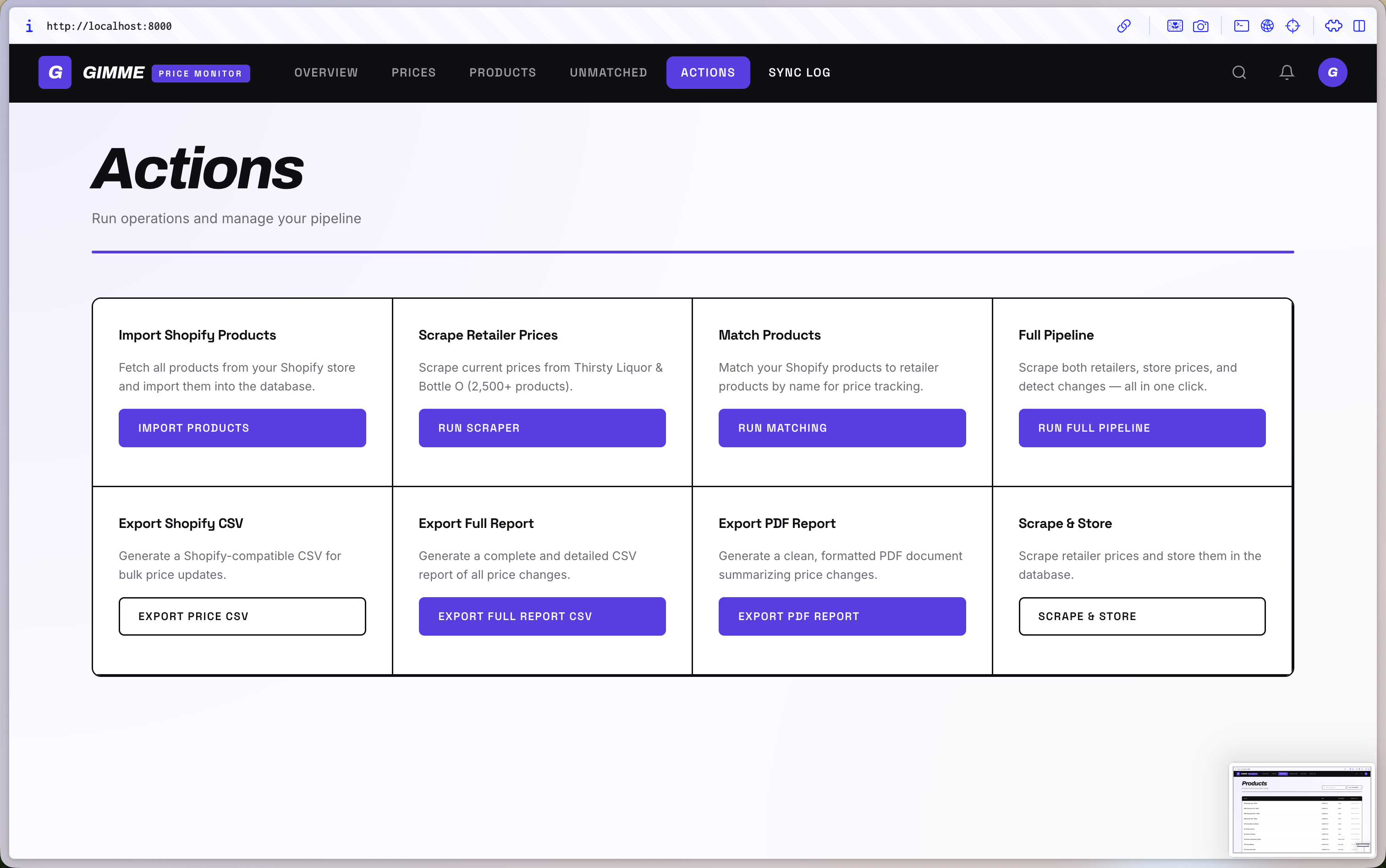
• Actions: manual pipeline triggers: import, scrape, match, or run end-to-end.
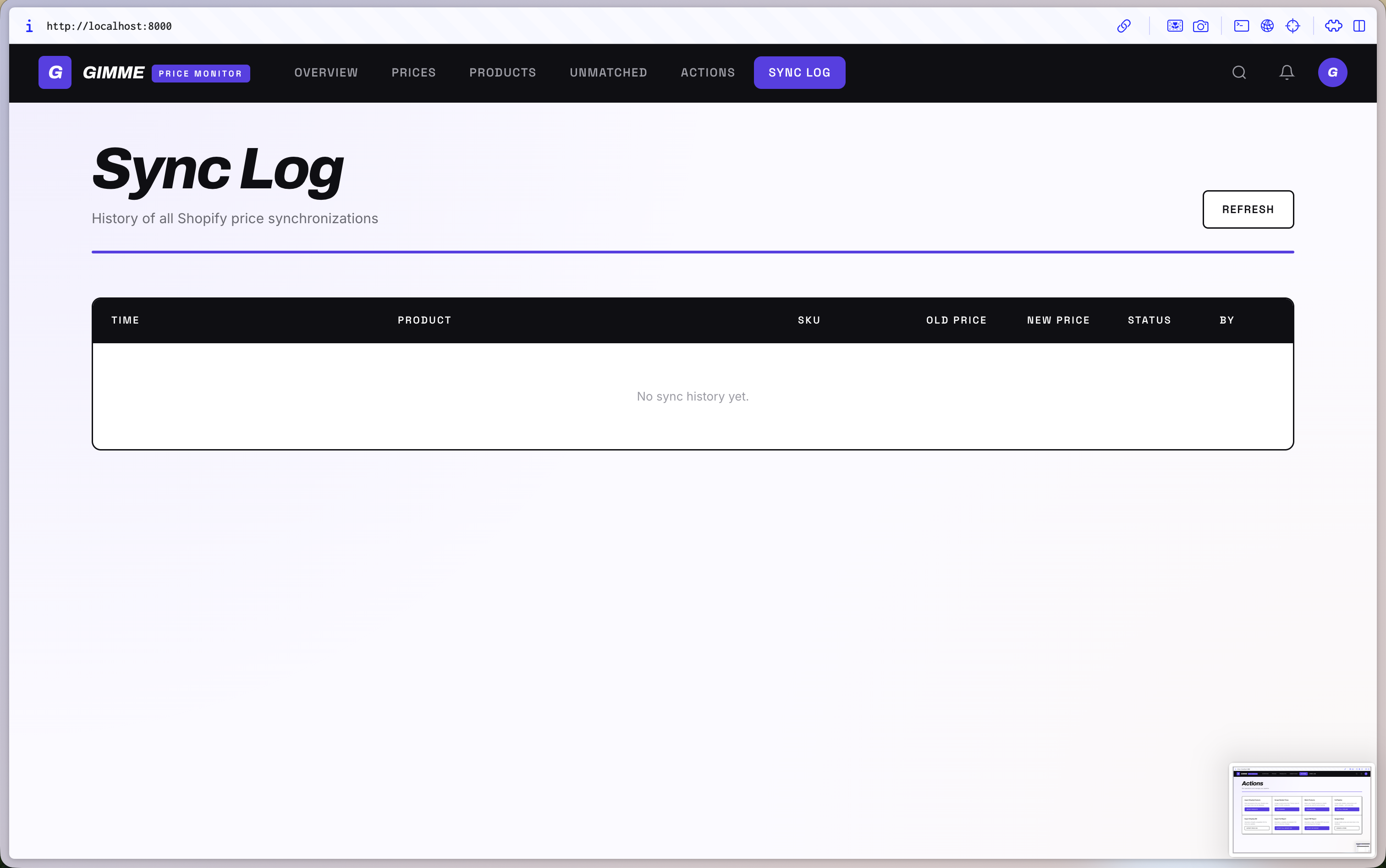
• Sync Log: history of every price update pushed to Shopify, for audit.
Overview page: live metrics, weekly activity chart, and recent price changes
10
Price Changes View
This is where the real work happens. The table shows every price shift detected in the latest run: product, retailer, old price (struck through), new price, percentage delta, and status. Operators mark changes as reviewed, then export the CSV to bulk-update Shopify.
Price Changes: the core operational screen
11
Actions Page
Rather than hide the pipeline behind a single "Sync" button, I exposed each step as its own card. The operator can re-run a single step (e.g., re-scrape Bottle O after a site change) without re-running the whole pipeline. Transparency over convenience.
Actions: each pipeline step is individually runnable
12
Product Catalog
The Products page gives the operator full visibility into GIMME's Shopify catalog: searchable by name, filterable by category, with SKU and Shopify ID surfaced inline. Handy for cross-checking matches or investigating a specific product.
Products: searchable catalog of all GIMME SKUs
13
Sync Log
Every price update pushed to Shopify is logged: what changed, when, old vs new price, and who (or what process) triggered it. Essential for auditing pricing decisions after the fact.
Sync Log: audit trail of every price update
14
Impact
• Replaced ~5 hours/week of manual price-checking
• Caught dozens of competitor price shifts per run that would have otherwise been missed
• Turned pricing from a reactive guess into a data-backed decision
• Runs in ~4 minutes end-to-end on a local machine
• Zero ongoing infrastructure cost: runs on the operator's laptop
15
What I'd Build Next
• Automated scheduling via cron so it runs overnight without a person
• Direct Shopify price push via API (currently uses CSV bulk import as a safety net)
• Price history charts per SKU, not just deltas, but trend lines
• Email digest: a daily summary of notable changes instead of the operator opening the app
• Expand to more retailers (Liquorland, New World wine dept., etc.)
16
Reflection
Designing for a team you already know is an unusually tight feedback loop. I could ship a change in the morning and see someone using it by the afternoon. It also reminded me that the best internal tools aren't the ones with the most features. They're the ones that feel like they belong.
Spending the extra day rebranding the dashboard wasn't strictly necessary. But now, when the GIMME team opens it, it feels like GIMME, not a generic dashboard. That matters.